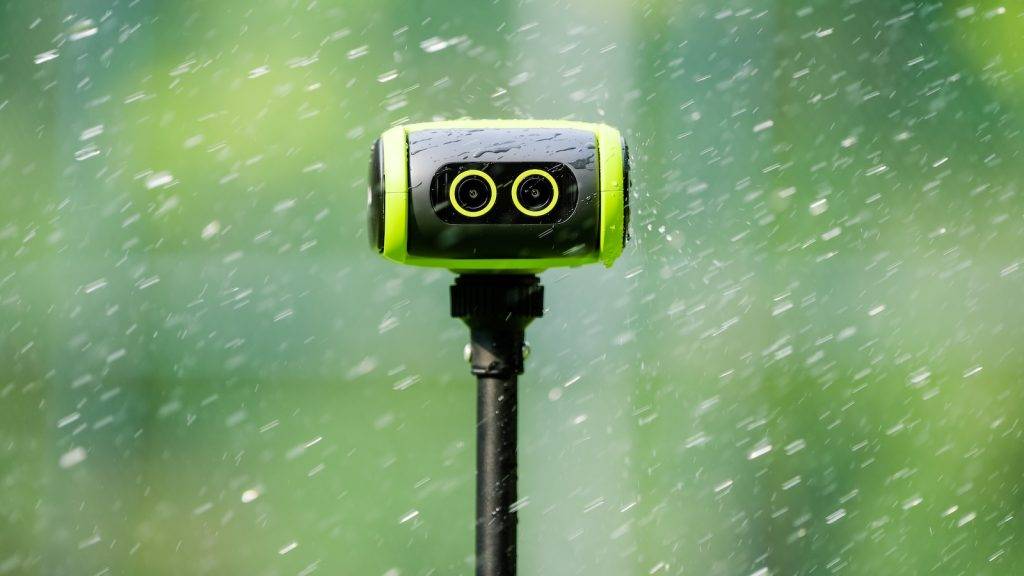
“AI soccer camera no subscription” is one of the most-typed searches in this category, and for good reason. The two biggest names, Veo and Trace, are both subscriptions with a camera attached. Stop paying and you have a paperweight or a returned loaner.
So here is the list of cameras you can pay for once and keep using, ranked, followed by the ones that look subscription-free in the ads and are not, and an honest list of what you give up.
What “No Subscription” Actually Means
Three different things get sold under that label. Know which one you are buying.
- Truly free to use. Tracking, recording and your footage work forever with no account required. Cloud sharing, if offered, is an optional extra.
- Records without a plan, but the useful parts are gated. The camera captures video locally, but streaming, highlights or analysis need a paid tier.
- Marketing. The camera is “free” or “no upfront cost” because the subscription is the product.
Only the first category belongs on a no-subscription list. The other two are below it, so you do not have to find out at checkout.
The Cameras You Actually Own
1. XbotGo Falcon — best overall
The Falcon is the camera this search is really looking for. It is a standalone 4K AI camera with its own dual lenses, sensor, 6-TOPS processor, battery and storage, so there is no phone on the tripod and nothing to log into. A motorised head follows the ball through 360 degrees of pan and 160 of tilt while a wide lens watches the whole pitch. Native 4K at 30 fps, 1080p at 60, about four hours per charge, IPX5 rated, records to a microSD card up to 1 TB.
Price is around $700 to $800 list and it is often discounted. XbotGo includes 20 GB of free cloud storage and sells more, but the camera never needs it. The file is on the card at full time.
Know before you buy: our guest reviewer’s full season found the AI zoom stays too wide on a full-size 11v11 pitch with no manual override, highlights are marked by hand, there is no auto goal detection, the motors are audible, and the XbotGo watermark is permanent. It is at its best on small-sided and 9v9 pitches. Full write-up in the BYOD AI camera roundup.
2. XbotGo Chameleon — cheapest way in
The Chameleon is the Falcon’s older sibling and the reason XbotGo exists. It is an AI gimbal: it does the tracking with its own cameras and AI co-processor, but your phone does the recording. That means 4K at 60 fps if your phone can shoot it, and 720p if it cannot. Around $300 on XbotGo’s store, down from $369, with the same 20 GB free cloud and no subscription for the core features.
Looking to improve your touch? Try this.
The trade-offs: you need a recent phone (Apple A12 or newer, or a flagship Android), that phone spends 90 minutes strapped to a 13-foot tripod in the sun or rain, the battery claim of eight hours is really your phone’s battery, and there is no weather rating. XbotGo’s own buying guide frames the Chameleon-or-Falcon choice as exactly that: are you willing to leave your phone up there? Our XbotGo App 4.0 review covers the software both cameras share.
3. Pix4Team 2 — if you already own a camcorder
Move ‘N See’s Pix4Team 2 is a robot head that holds a real camcorder and controls its pan, tilt and, on compatible Sony and Canon models, its optical zoom. That is the only way on this list to get true optical zoom on a full-size pitch, and jersey numbers on the far touchline are readable. The robot is about $1,490. Recording is subscription-free; the paid extras are for live-streaming packages.
The trade-offs: you supply the camera, so the real price is robot plus camcorder, it is heavy and takes 15 to 20 minutes to rig with control cables, and the footage is raw files on the camcorder’s SD card. This is a home-field tool for an academy, not a Saturday-morning parent tool.
4. SoloShot3 — if you can find one
SoloShot3 is the original robotic cameraman. It tracks a wearable tag rather than the ball, which makes it excellent for one player, a goalkeeper, or individual sports, and useless for following a match. Base units start at $799 on SoloShot’s store and the Optic65 camera bundle is $1,499, but at the time of writing the bundle shows as temporarily out of stock. No subscription, local recording. The tech is a generation old; buy it only for the tag-tracking use case.
“No Subscription” That Isn’t
These come up in the same search. None of them belongs on a pay-once list.
- Veo Cam 3. About $1,299 for the camera and it does not record without a plan, from about $67 a month in the US. Stop paying and it is a brick. Best coaching platform in the business, which is what you are renting. See whether Veo is worth it.
- Trace. The camera is “free” because every family on the team pays $180 to $300 a year for their own player’s highlights. It is leased, one per team, and goes back when the subscriptions stop. Honest about it, but the opposite of owning. See the Trace review.
- Pixellot Air NXT. This one is sneaky. It records locally to 128 GB of onboard storage, which sounds subscription-free. The streaming, automatic production and analysis that make it worth owning need a Pixellot plan (Lite, Team or Club, no long-term contract, pricing by quote). Great camera, see Pixellot vs Veo vs Hudl, but budget for the plan.
- Hudl Focus Flex. Around $1,999 and it exists to feed the Hudl library. You are buying the ecosystem; the camera is the entry ticket.
Three-Year Cost, One Camera
| Camera | Up front | Over 3 years | What you keep if you stop |
|---|---|---|---|
| XbotGo Falcon | ~$800 | ~$800 | Camera and every file |
| XbotGo Chameleon | ~$300 | ~$300 (plus the phone you already own) | Gimbal and every file |
| Pix4Team 2 | ~$1,490 + your camcorder | ~$1,490 | Robot, camcorder, every file |
| Veo Cam 3 | ~$1,299 | ~$3,700 at $67/mo | A camera that no longer records |
| Trace (one family, Pro) | $0 | $900 | Nothing; camera returns, footage access ends |
| Trace (12 families, Basic) | $0 | $6,480 across the team | Nothing |
Prices are US list at the time of writing and move with promotions. The shape of the table does not.
What You Give Up By Not Paying
Be honest with yourself here, because this is where pay-once buyers end up disappointed.
How To Play Soccer in Europe Here's How We Did It..
- Automatic highlights. Veo finds goals and corners on its own; Trace cuts a reel per player. The Falcon gives you a 90-minute file and a button to mark moments yourself.
- Analytics. Heatmaps, pass completion, possession. None of the pay-once cameras do this today. XbotGo has an AI analysis add-on coming and has not published its price.
- The full-field view. Veo, Trace and Pixellot record the whole pitch and let you move around it afterwards. A moving head like the Falcon records what it was pointing at. For tactical review that is a real loss; for watching your kid it is not.
- A sharing platform. No team library, no player journals, no one-link sharing with a coach. You are back to YouTube unlisted links and a group chat, which, to be fair, is what most teams use anyway.
- Someone to blame. A subscription comes with support. A file on a card comes with you.
The Verdict
If you want to pay once and film every game your kid plays for the next four years, buy the XbotGo Falcon. It is the only camera on the list built from the ground up to be owned, and its weaknesses are all things you can work around with a tall tripod and twenty minutes in CapCut.
If $800 is too much and you have a recent phone, the Chameleon gets you most of the way for $300. If you are an academy with a Sony camcorder in a cupboard, the Pix4Team 2 turns it into the best-looking footage here.
And if, after reading the give-ups, you realise what you actually want is automatic highlights and a team platform, that is fine. That is what the subscription is for. Veo vs Trace vs XbotGo Falcon will help you pick which one.

I discovered soccer as a U-6 coach. I love soccer, futsal on the weekends in a men’s league. I am now living in Portugal (and playing futsal!)
Check out my new directory of incredible football training tools.
I watch UEFA Champions League when I’m not playing, and I catch regular games with this North American streaming service.
Here’s how we ended up getting my son to play football in Europe.
(Use this VPN).